
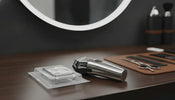
How Often Should You Replace a Foil Shaver Foil and Cutter?
, by Buy Barber , 8 min reading time
, by Buy Barber , 8 min reading time
Learn when to replace a shaver foil and cutter, spot wear, check compatibility, and keep your foil shaver cutting cleanly.
A foil shaver can still turn on while its cutting system is already costing you time. If a finish pass now takes several passes, pulls hair, or leaves clients irritated, the foil and cutter may be worn.
How often to replace shaver foil depends on chair volume, hair type, cleaning, lubrication, and the maker's guidance. Many manufacturers suggest a general replacement window, but a busy barber may reach the wear limit sooner than a light home user. Inspect the foil often and replace it immediately if it is cracked, dented, torn, or exposing the cutter. When performance declines without visible damage, clean and oil the unit as directed, then test it. If pulling, heat, noise, or slow cutting remains, replace the correct foil and cutter set for your exact model.
Shop Andis replacement blades and foils
There is no honest one-size-fits-all calendar. Replacement timing starts with the interval in your shaver manual, then changes with use. A shaver used for a few neck cleanups each week will wear differently from one completing back-to-back bald fades every day.
For a professional shop, treat the manufacturer's suggested interval as a planning point, not permission to ignore performance. Track when each foil and cutter enters service. Check the cutting head every week, and compare today's finish speed with the results you got when the set was new.
Do not wait for the foil to fail during a service. Keep a compatible spare on hand and replace the cutting system when the evidence says it is worn.
The best replacement signal is a change you can see, hear, or feel. Check the shaver after cleaning it, because trapped hair can mimic worn parts.
A healthy foil and cutter should remove very short stubble with controlled, overlapping passes. If the tool starts tugging or repeatedly misses the same areas, the cutter edge or foil openings may be worn. Confirm that the hair is short enough for the foil shaver and that the head is installed correctly before replacing parts.
Some warmth is expected, but a sudden increase in heat can point to friction from debris, poor lubrication, or worn contact surfaces. Stop using a head that becomes uncomfortably hot. Clean it, follow the maker's oiling directions, and replace it if excess heat returns.
Extra passes slow the service and increase skin contact. Compare the current cutting time with your normal workflow. If a clean, charged, properly assembled shaver has lost speed, a new foil and cutter can restore a more efficient finish.
Replace a cracked, torn, bent, or punctured foil immediately. A damaged screen can expose the moving cutter beneath it and should never touch a client. Also replace parts that will not seat securely after cleaning.
New rattling, uneven vibration, or an unusual cutting sound deserves an inspection. Check assembly and remove debris first. If the noise remains, stop using the shaver until you identify and correct the cause.
The foil is the thin screen that guides short hair toward the moving cutter. Those two parts work as a pair and make repeated contact during use. As they age, their contact surfaces wear together.
Installing a new foil over a badly worn cutter may leave you with slow or uneven performance. Installing a new cutter beneath a damaged or distorted foil can also shorten the new part's life. A matched replacement set removes both unknowns at once and usually makes troubleshooting easier.
That does not mean every brand requires both pieces to be changed at the same time. Some replacement products contain only a foil, while others contain a foil-and-cutter assembly. Follow the manual and the replacement part listing for your model. If the maker sells and recommends a matched set, replacing both together is the safest way to restore the designed cutting fit.
View professional replacement parts
A foil that looks right in a photo may still be wrong for your shaver. Model generations, head widths, mounting tabs, and cutter layouts can differ within the same brand. Use this checklist before ordering.
| Check | Where to verify it | Why it matters |
|---|---|---|
| Exact shaver model | Housing label, manual, or original box | Similar-looking models may use different heads. |
| Model generation | Model number and manufacturer documentation | A newer version may have a revised mount or cutter. |
| Replacement part number | Manual and product listing | This is the strongest compatibility match. |
| Foil configuration | Current head and listing photos | Single- and double-foil systems are not interchangeable. |
| Included components | Product description | Confirm whether the package includes foil, cutter, or both. |
| Fit notes | Manufacturer or seller compatibility list | Fit notes can identify exclusions within a product family. |
Never force a foil or cutter onto a shaver. If the listing does not clearly name your exact model, verify compatibility before buying.
Maintenance cannot restore worn metal, but it can help a good cutting set deliver consistent work for longer. Build care into the end of each service or shift.
Technique matters too. Trim longer hair before using a foil shaver, use light pressure, and let the cutter do the work. Browse professional shavers if your current unit has motor, battery, or housing problems that a new cutting set cannot fix.
Busy barbers should manage foils and cutters like other essential shop supplies. A simple log prevents guesswork. Record the shaver model, replacement part number, install date, and the date when performance first changes.
A spare also helps diagnose problems. If a known-good set restores clean cutting, the old foil or cutter was likely the issue. If performance remains poor, inspect the shaver itself, including charge, drive system, alignment, and other parts covered by the manual.
Shop replacement foils and cutters and match the product listing to your exact shaver before ordering.
Sometimes. It depends on the shaver and the replacement options approved for it. If the cutter still performs well and the manufacturer offers a foil-only part, that may be appropriate. Follow the manual and product listing. When both parts are worn, a matched set is usually the better repair.
Yes. Stop using a foil that is cracked, torn, punctured, or badly dented. Damage can expose the moving cutter and put skin at risk. Install a compatible replacement before the shaver returns to service.
The foil or cutter may be worn, assembled incorrectly, or insufficiently lubricated. Hair may also be too long for an efficient foil finish. Check the manual, confirm correct assembly, and test a compatible replacement set if pulling continues.
Correct lubrication can reduce friction when the manufacturer calls for it. Use only the specified oil and method. Too much oil or the wrong product can trap debris or harm the tool.
Find the complete model number on the shaver, then match it to the replacement part number and compatibility list. Confirm whether the listing includes the cutter. Do not rely on appearance alone.
The right replacement schedule is based on use, care, condition, and the manufacturer's instructions. Watch for changes before they affect a client: more passes, pulling, heat, noise, and visible damage. Track install dates, keep a verified spare, and replace damaged foils immediately.
BuyBarber.com carries professional-grade barber tools, grooming essentials, and replacement parts at wholesale prices. Shop Andis replacement blades and foils and confirm the exact fit for your shaver.


